Service Direction
UI/UX
Design
We design mobile apps, B2B platforms and fintech products - from user flow and wireframes to pixel-perfect screens and developer-ready Figma systems.
What We Do
Design Work We Deliver
User Flow & Navigation
Complete user journey from entry to goal: screens, decisions, edge cases and navigation logic - before any visual design.
Wireframes
Low-fidelity structure for every screen: content hierarchy, component placement and interaction patterns - approved first.
High-Fidelity UI
Pixel-perfect screens with real content, spacing, typography, states and component hierarchy - developer-ready.
Design System
Color tokens, type scale, spacing grid, button states, cards, icons and full UI library - consistent across every screen.
Mobile-First Design
Every screen designed for mobile first, then tablet and desktop - not the other way around.
Figma Handoff
Named layers, auto-layout, design tokens and annotations - developers build without guessing.
Case Examples
UI/UX Projects We Built
Case 01 · B2B Mobile App
Food Hub - B2B Food Supply Platform
Full UI/UX design for a B2B food distribution mobile app connecting producers, logistics operators and HoReCa buyers. Two separate user roles - buyer and supplier - each with their own interface, flow and data architecture.
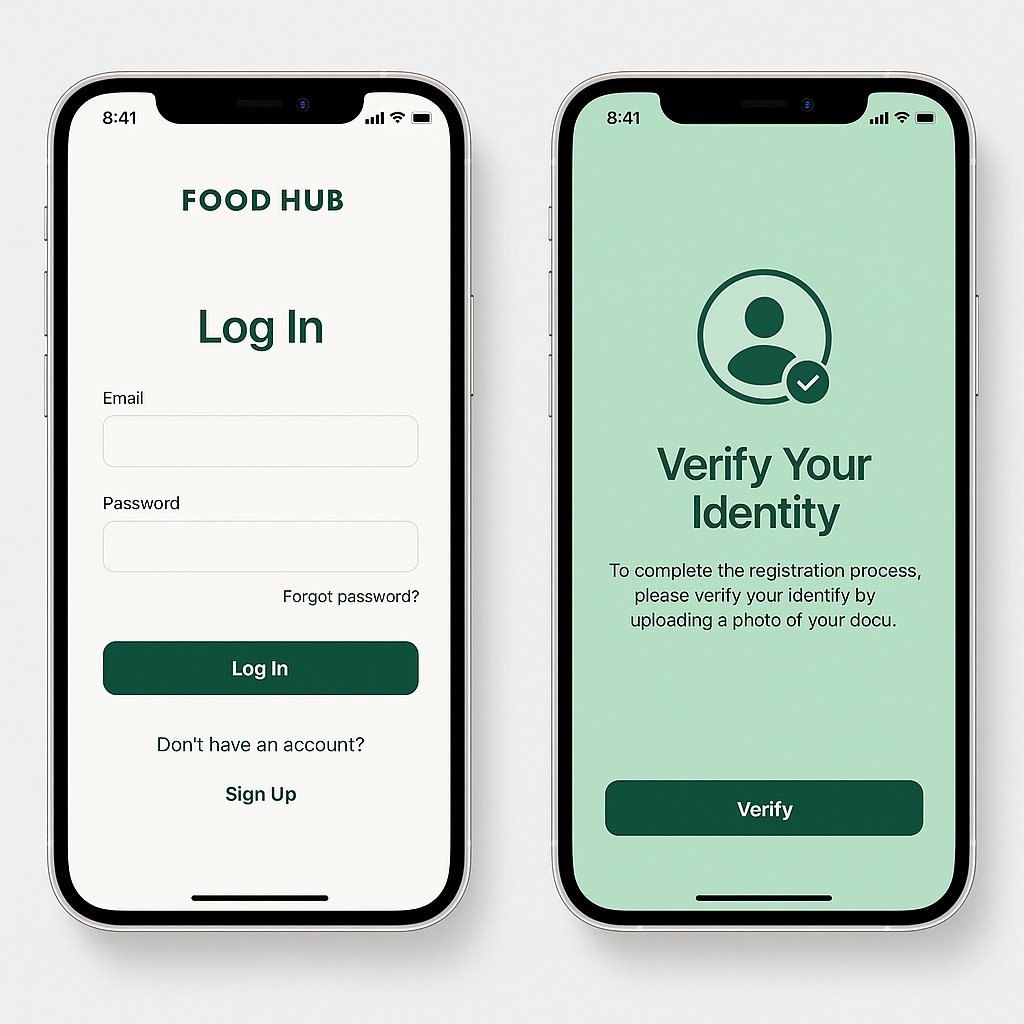
Onboarding & Identity Verification
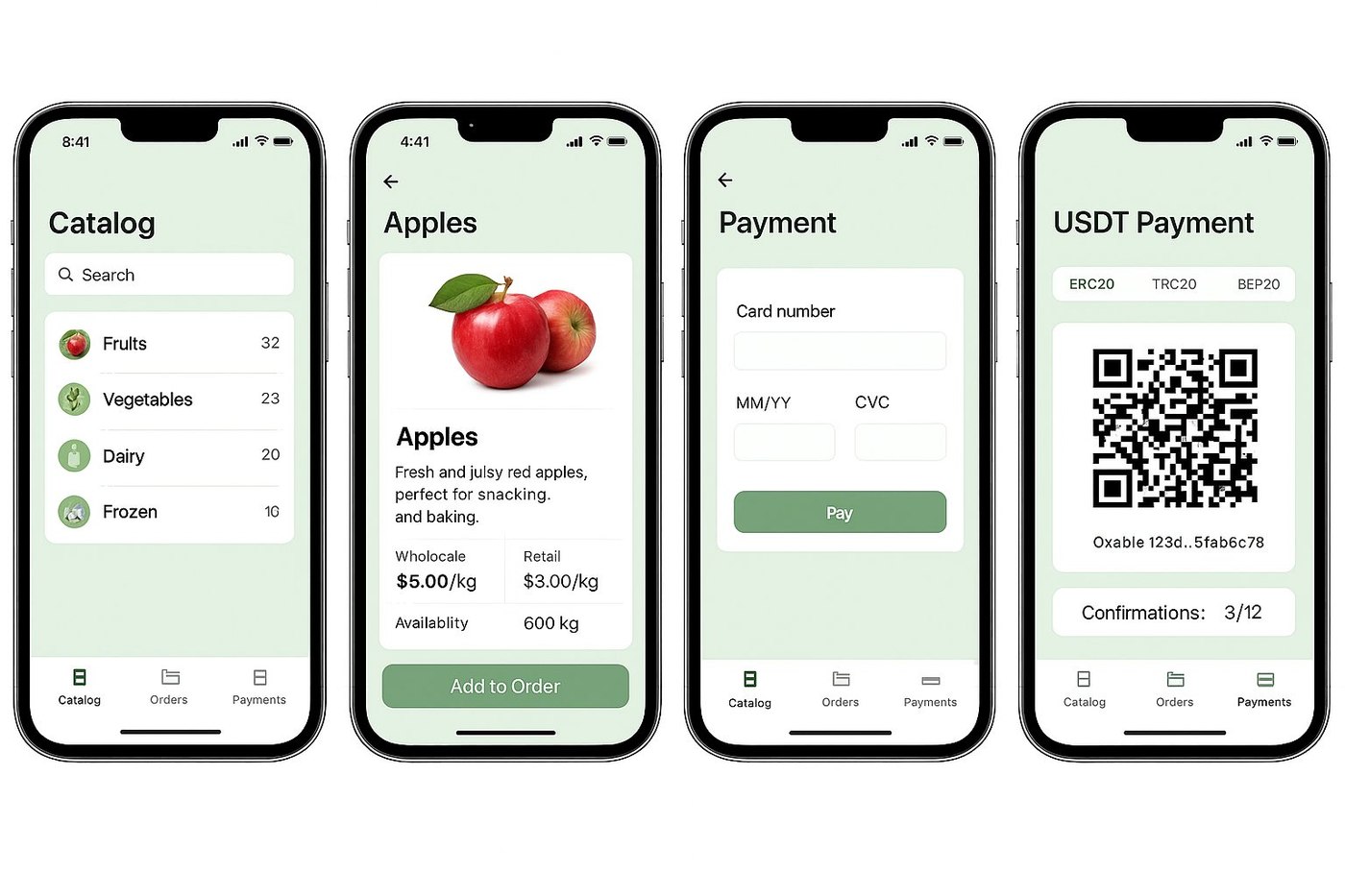
Product Catalogue · Pricing · Payment (Card & USDT)
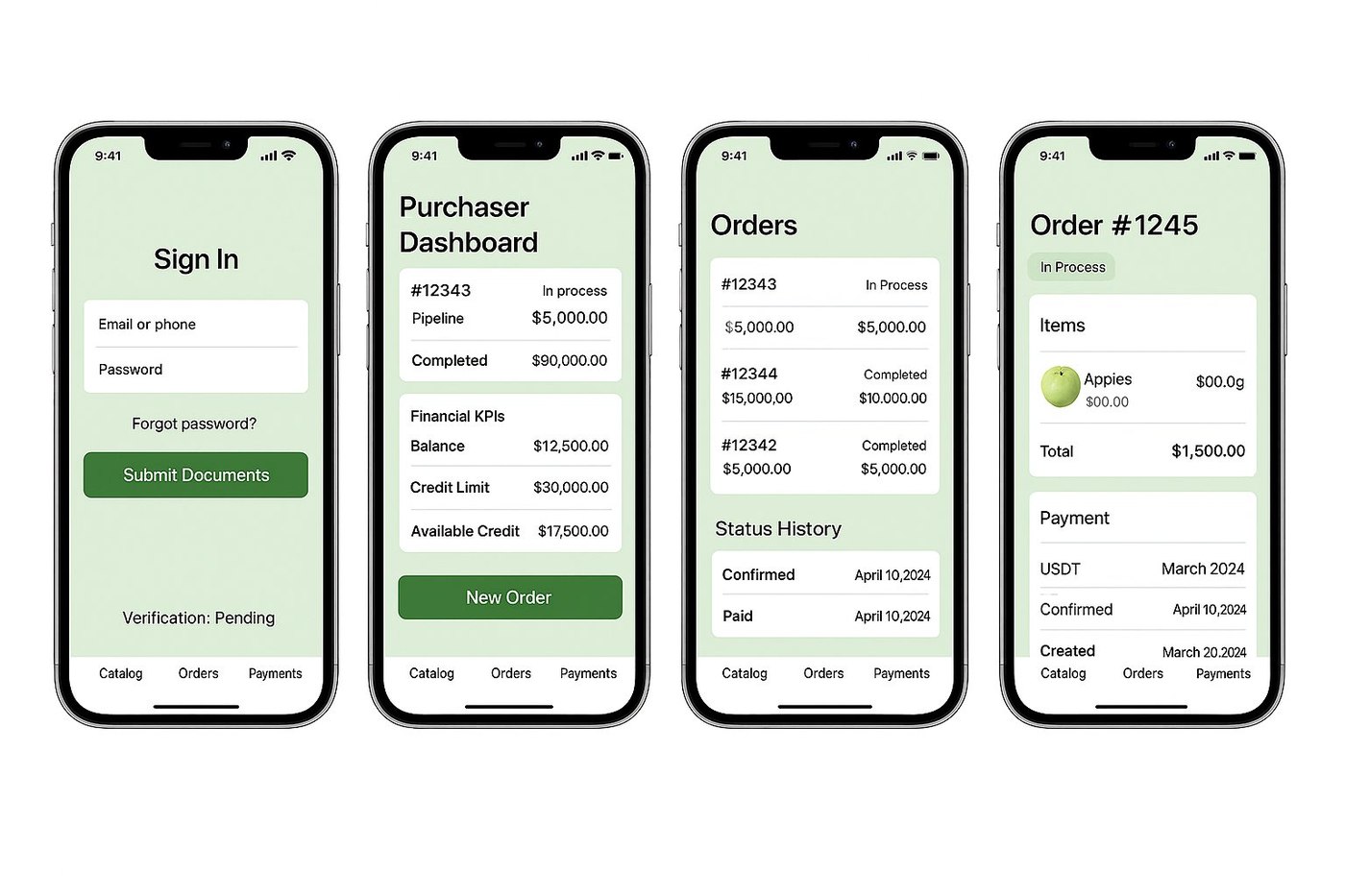
Purchaser Dashboard · Orders · Financial KPIs
Catalogue with dual pricing
Wholesale and retail pricing per SKU, availability in kg, product cards with photo - and a one-tap "Add to Order" flow.
Dual payment system - Card & USDT
Standard card payment and crypto USDT payment (ERC20, TRC20, BEP20) with QR code and confirmation counter - in one unified checkout flow.
Purchaser Dashboard with Financial KPIs
Balance, credit limit, available credit, pipeline and completed orders - all visible from the first screen after login.
KYB / Identity verification onboarding
Document upload verification screen integrated into the registration flow - required before accessing orders and credit features.
Case 02 · Fintech Mobile App
Ai Snaiper - AI-Powered Crypto Trading App
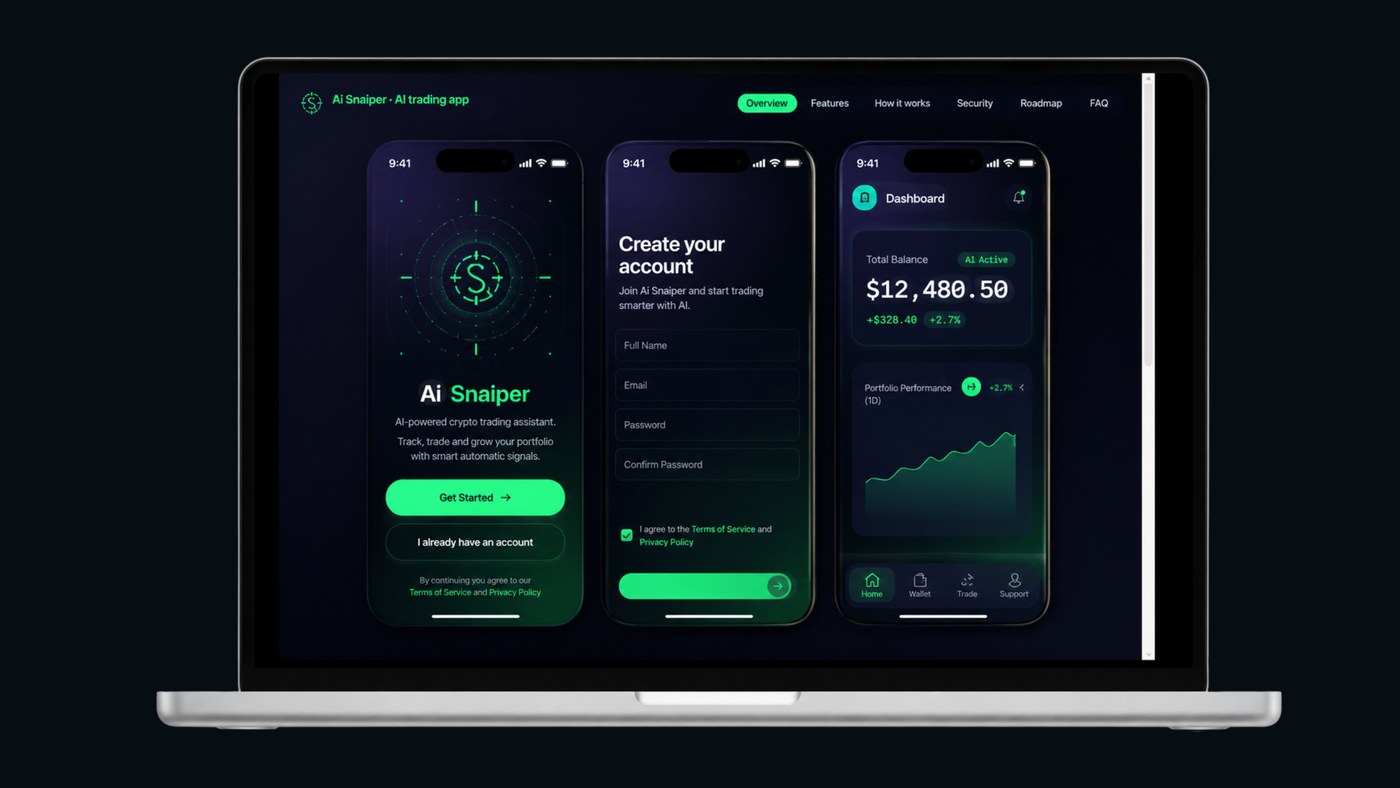
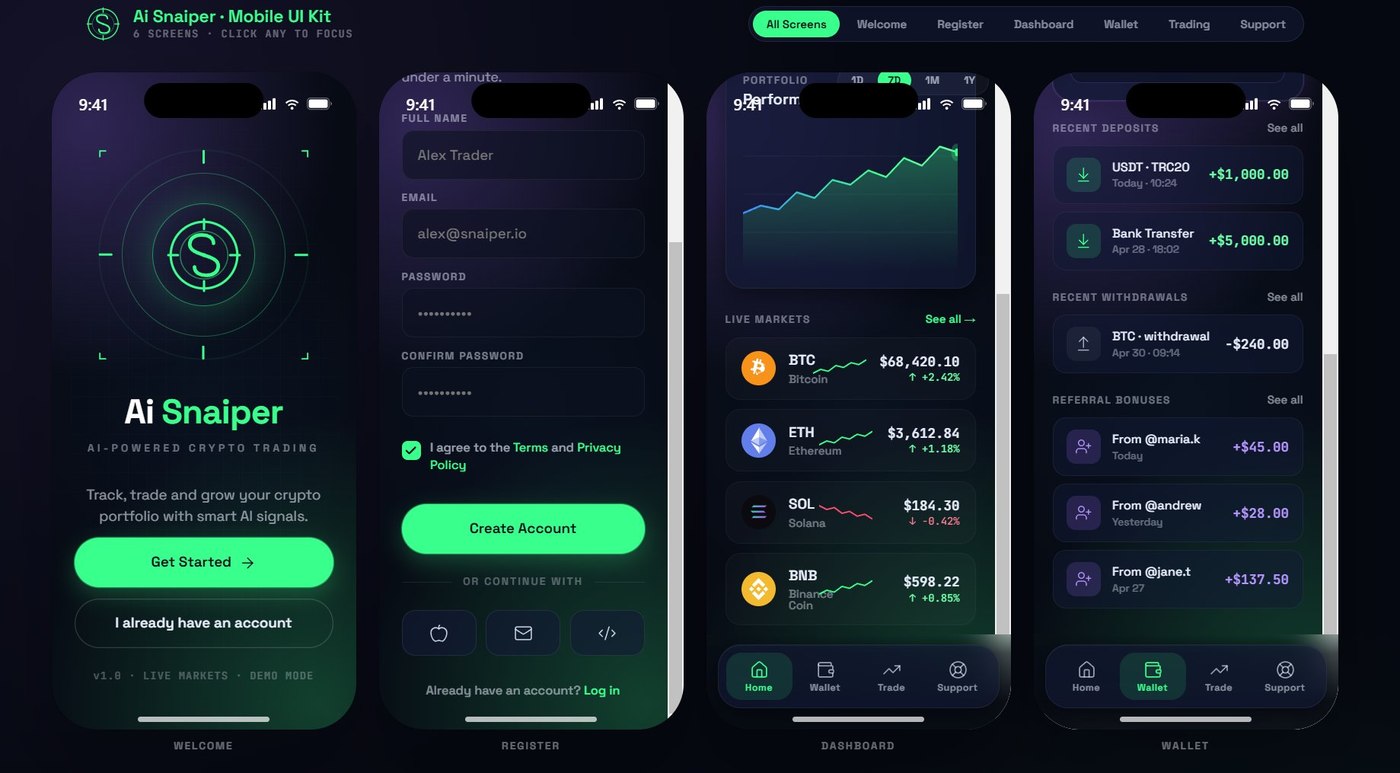
Full UI kit and screen design for an autonomous AI trading app. 6 core screens: Welcome, Register, Dashboard, Wallet, Trading and Support. Dark fintech aesthetic - deep navy canvas, signal-green accents, glassmorphism cards and precision crosshair brand motif.
Welcome · Register · Dashboard · Wallet
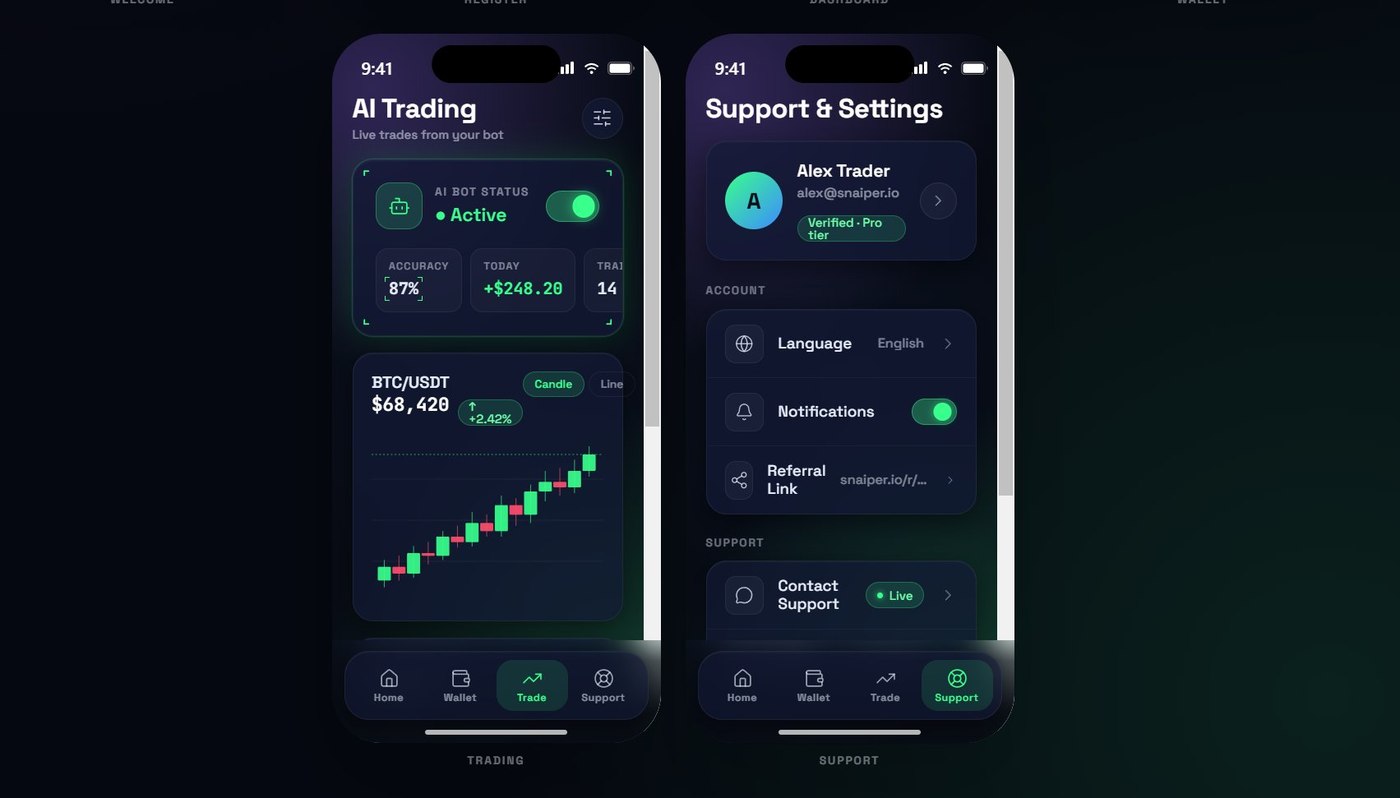
AI Trading · Live Bot Status
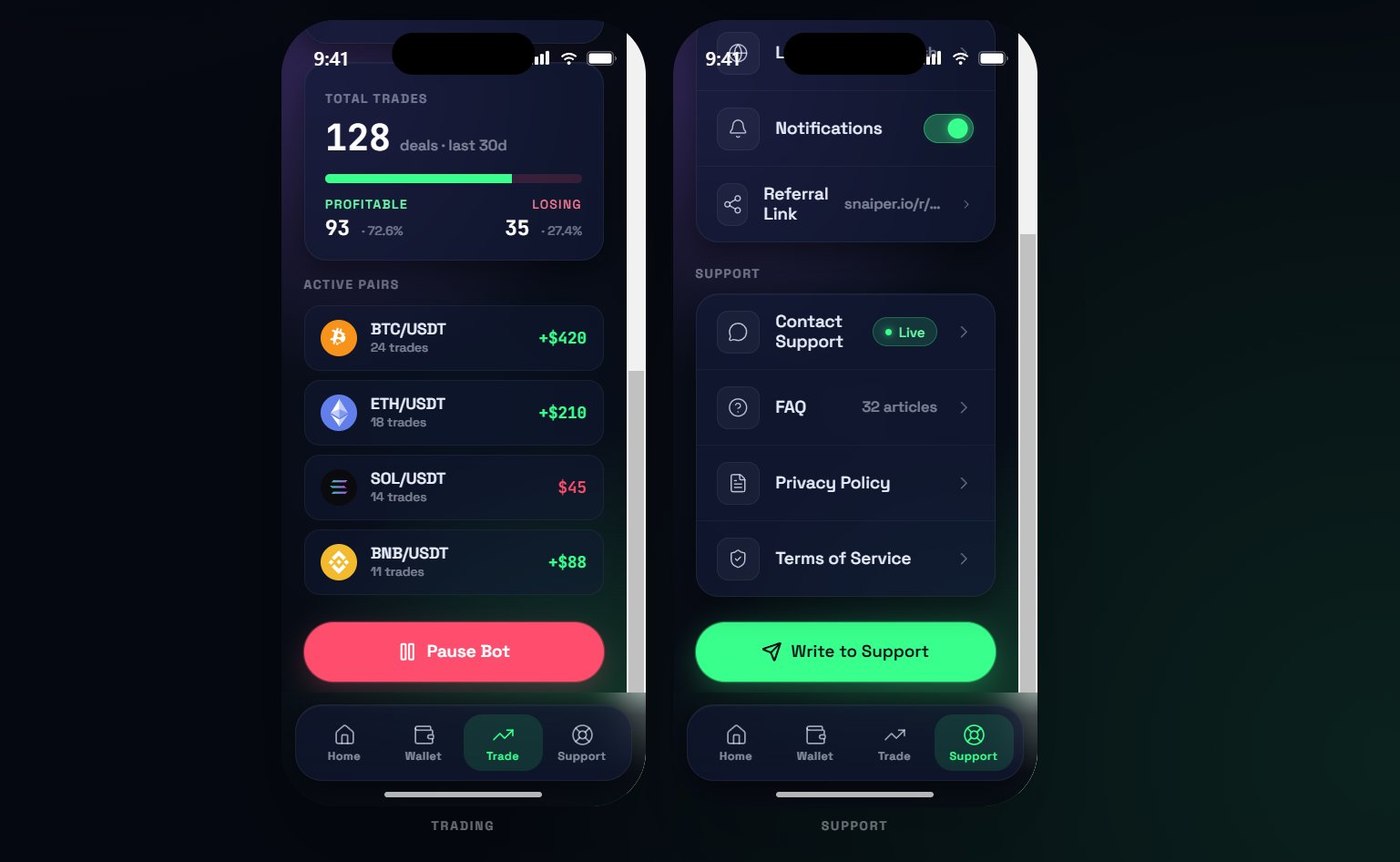
Trade Stats · Support & Settings
Crosshair brand identity in the UI
The precision targeting motif from the logo is embedded into the welcome screen animation and background grid - reinforcing the "AI that hits its target" brand concept.
Live bot status as the primary dashboard element
AI Bot Status (Active/Paused), accuracy %, today's P&L and trade count are the first things the user sees - not account settings or menus.
Candlestick chart with real-time pair data
BTC/USDT, ETH/USDT, SOL/USDT and BNB/USDT - live markets with active/losing pair breakdown and a Pause Bot control on the trading screen.
Wallet with referral & deposit/withdraw flows
Available balance, deposit and withdrawal with USDT/TRC20, referral link with 15% profit share - and recent transaction history inline.
How It Works
Design Process
Discovery
Product goals, user personas, competitor audit and key screens - before opening Figma.
User Flow
Navigation structure, screen hierarchy and user path for every core scenario.
Wireframes
Low-fidelity layout for every screen - structure locked before visual design begins.
Visual Design
Design system first - tokens, components, states - then full high-fidelity screens.
Handoff
Named Figma file, design tokens, annotations and interactive prototype for developers.
Ready to design your product?
Share your idea or existing screens - we'll build a design system and UI your team can develop from day one.